G
7.0
Gameplay 30%
Gameplay was not playtested. Default score 7.0. This dimension was not playtested, and the default is what the ranking uses.


Home / Reviews / spider-solitaire-senior / .Spider Solitaire!
This Spider app looks most relevant to readers seeking familiar cards with advertised large text and generous recovery tools. It is less conclusive for someone who requires a particular suit variant or certified accessibility. Its assistance features are specific, while the exact rule configuration and practical comfort remain untested.
Opens the official store and leaves this site. Kids: ask a grown-up before buying anything.
.Spider Solitaire! emphasizes making a familiar card game more comfortable for older players. Its listing provides more detail about assistance and presentation than about the particular Spider rule options included. This source-based analysis uses the US App Store listing, not hands-on play.
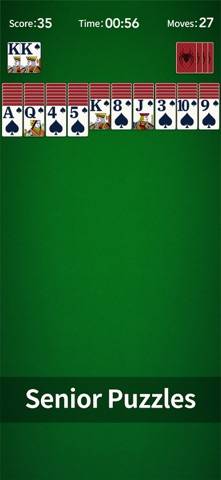
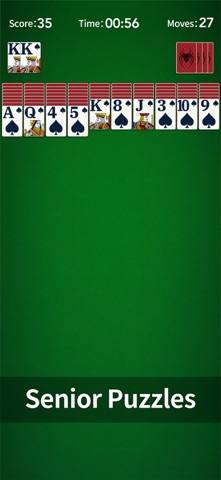
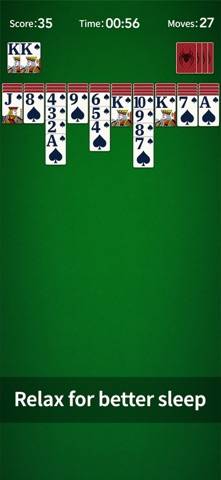
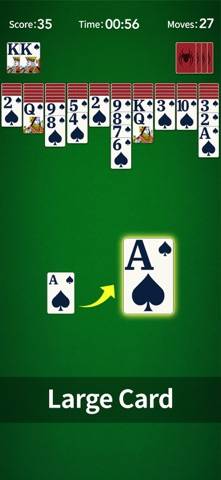
The developer describes preserved classic Spider gameplay, moved through tapping or dragging. Large cards and enlarged fonts are intended to make the tableau easier to read.
Traditional Spider generally centers on arranging descending card sequences, but the supplied description does not fully specify this app's suit choices, sequence-movement rules, scoring, or dealing restrictions. Those options should not be promised from the familiar name alone.
Someone returning from a desktop version may recognize the intended format. Whether the exact variant and controls match that person's habits remains an implementation question rather than a guaranteed transfer of every PC feature.
Unlimited free hints and undo are explicitly advertised. Those are distinct tools: a hint suggests a possible action, while undo lets a player reverse one.
The text does not establish whether hints explain the reasoning or merely identify a legal move. Nor does unlimited undo prove that every deal is winnable. Assistance can make experimentation more comfortable without resolving the underlying challenge.
Auto-complete is also advertised, though the exact trigger and scope are not documented. It should not be described as automatically solving any difficult deal.
Custom themes, statistics, tablet support, multiple languages, and smooth animation are named features. No screenshot was inspected, so actual card dimensions, contrast, and button spacing are not independently assessed.
A large-font promise is relevant but not a certification for every visual or motor need. The developer's memory and focus language likewise does not establish a clinical benefit or validated cognitive training.
No customer-review bodies are available in the supplied evidence. There is no supported player consensus about readability, deal fairness, touch response, or the usefulness of hints.
Automatic saving and offline play are advertised. The description does not establish cross-device synchronization or a tested restoration procedure. A saved local game should not automatically be described as portable to another device.
The metadata records a free download. Advertising frequency, removal prices, other purchases, and stability remain unverified.
This Spider app looks most relevant to readers seeking familiar cards with advertised large text and generous recovery tools. It is less conclusive for someone who requires a particular suit variant or certified accessibility. Its assistance features are specific, while the exact rule configuration and practical comfort remain untested.
View the official US App Store listing · How evidence differs from playtesting
No gameplay, ad, purchase, offline, or stability testing performed.
Gameplay was not playtested. Default score 7.0. This dimension was not playtested, and the default is what the ranking uses.
Ads were not playtested, and this game has no separate store-ad sample. The no-forced-ads tag stays unknown. Default score 7.0. This dimension was not playtested, and the default is what the ranking uses.
Whether a purchase is required to keep playing was not playtested. Default score 7.0. This dimension was not playtested, and the default is what the ranking uses.
Content depth was not playtested. Default score 7.0. This dimension was not playtested, and the default is what the ranking uses.
Stability was not playtested. Default score 7.0. This dimension was not playtested, and the default is what the ranking uses.
Yes. Both tap and drag controls are advertised.
Yes, and unlimited, according to the developer.
Not in the supplied description.
No. Those are different features.