G
7.0
Gameplay 30%
Gameplay was not playtested. Default score 7.0. This dimension was not playtested, and the default is what the ranking uses.


Home / Reviews / pixel-coloring / Sandbox - Pixel Art Coloring

Sandbox stands out on paper for combining structured pixel coloring with original drawing and photo conversion. Its membership model is the key boundary to examine, separate from the developer’s no-ad promise.
Opens the official store and leaves this site. Kids: ask a grown-up before buying anything.
Store-listing analysis, not a playtest. This article examines the US App Store description and attributed product claims. Customer review sample: N=0; no review date or version window is available.
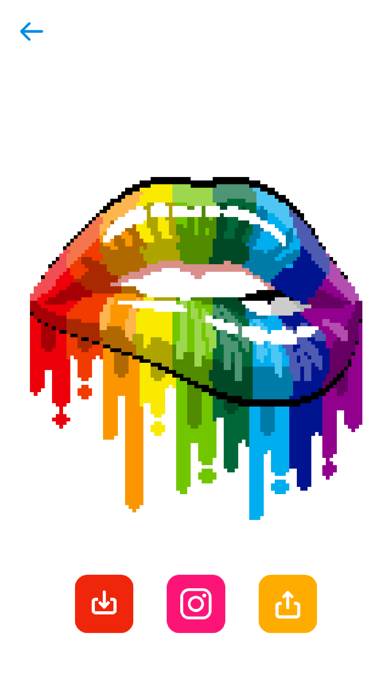
Sandbox - Pixel Art Coloring offers more than filling a supplied picture. Its listing also includes free drawing and turning your own photos into pixel art, making creation tools a meaningful part of the proposition.
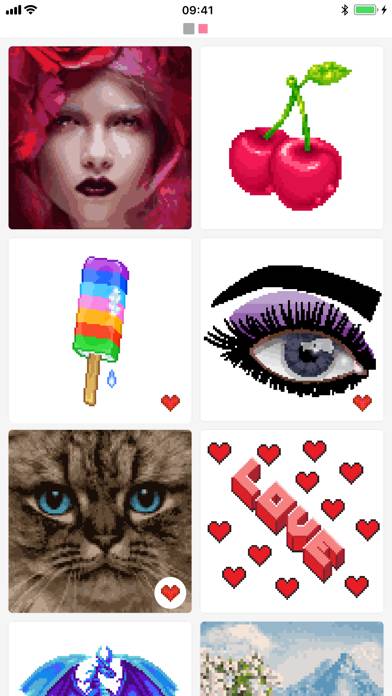
The description connects tiny pixel art with number recognition and using a legend. That frames the coloring side as structured completion rather than choosing every color from scratch. Search helps locate subjects, and a round similarity button is advertised for finding related artwork.
Collections let you organize art within the app. These are useful features for someone who wants to return to a type of image rather than repeatedly browse the whole catalog. The supplied text does not establish export formats or whether every collection is editable in the same way.
Free Drawing Mode is a distinct feature, not merely another name for filling numbered squares. Photo conversion also adds a personal source for pixel images. The listing does not explain conversion resolution, palette control, or processing location, so those details should not be assumed.
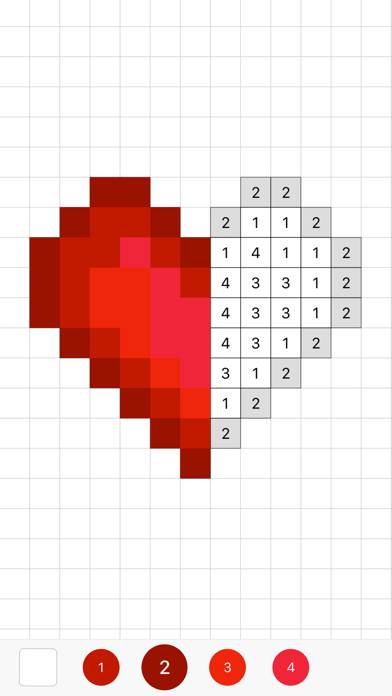
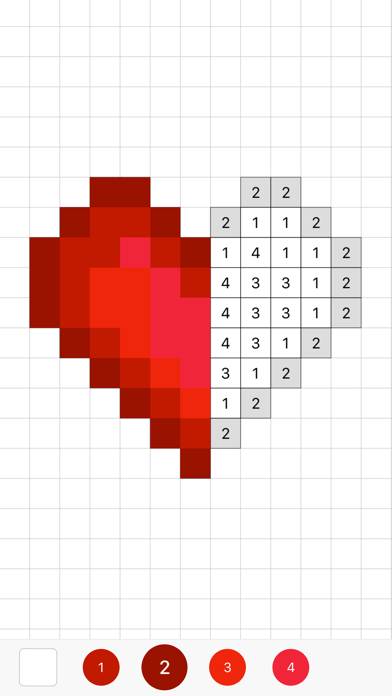
The official heart image shows filled red pixels beside numbered gray cells and a numbered palette, making the structured coloring side visually explicit.
The developer emphasizes use by children, parents, and teachers, including motor skills and number recognition. Those statements explain its intended audience, but do not demonstrate measured learning gains or independently establish that every image suits every child.
“No Ads” is also explicitly stated. That is a developer claim rather than a tested finding. It should not be expanded into a conclusion that the entire art catalog is free, since the same description offers membership for access to all pixel art.
The listing describes a seven-day trial, followed by membership rates of $2.99 weekly, $7.99 monthly, or $39.99 yearly. It says subscriptions renew automatically unless renewal is disabled at least 24 hours before the period ends. These are described terms, not a checkout quote for a particular account.
The download itself is free. Offline access, the free-versus-member boundary for individual tools, and actual ad behavior have not been independently checked. There are no customer review bodies in this sample to resolve those questions.
Consider Sandbox if personal photos and drawing matter alongside coloring. Skip it if you need unrestricted catalog access without a recurring membership.
Sandbox stands out on paper for combining structured pixel coloring with original drawing and photo conversion. Its membership model is the key boundary to examine, separate from the developer’s no-ad promise.
Yes. Free Drawing Mode is explicitly advertised.
The listing advertises converting gallery photos, without specifying detailed conversion controls.
The description says membership continues automatically after the trial unless renewal is disabled under the stated terms. Confirm the actual offer before starting.
No hands-on gameplay, advertising, purchase, offline, or stability testing.
Gameplay was not playtested. Default score 7.0. This dimension was not playtested, and the default is what the ranking uses.
Ads were not playtested, and this game has no separate store-ad sample. The no-forced-ads tag stays unknown. Default score 7.0. This dimension was not playtested, and the default is what the ranking uses.
Whether a purchase is required to keep playing was not playtested. Default score 7.0. This dimension was not playtested, and the default is what the ranking uses.
Content depth was not playtested. Default score 7.0. This dimension was not playtested, and the default is what the ranking uses.
Stability was not playtested. Default score 7.0. This dimension was not playtested, and the default is what the ranking uses.
Yes. Free Drawing Mode is explicitly advertised.
The listing advertises converting gallery photos, without specifying detailed conversion controls.
The description says membership continues automatically after the trial unless renewal is disabled under the stated terms. Confirm the actual offer before starting.