G
7.0
Gameplay 30%
Gameplay was not playtested. Default score 7.0. This dimension was not playtested, and the default is what the ranking uses.


Home / Reviews / pixel-coloring / Pixel Art - Color by Number
Consider Pixel Art for structured coloring with photo conversion and clearly differentiated fill tools. Premium access and the garden layer are separate choices from whether you enjoy the core numbered-cell activity.
Opens the official store and leaves this site. Kids: ask a grown-up before buying anything.
Store-listing analysis, not a playtest. This article examines the US App Store description and attributed product claims. Customer review sample: N=0; no review date or version window is available.
Pixel Art - Color by Number removes palette choice from coloring and puts recognition and completion in its place. Find the numbered areas, apply their assigned colors, and watch a picture develop.
The listing names Magic Wand for neighboring cells sharing a number and Color Splash for neighboring cells of any numbers. Those are distinct types of assistance: one extends a selected color, while the other can handle a mixed local area.
That difference matters when deciding whether you enjoy the small repeated placements or mainly want to see the completed art. Assistance can reduce that repetition, but the description does not establish how often either tool is available or what it costs.
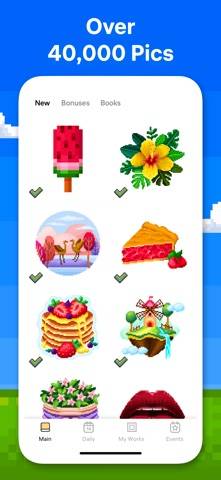
The catalog is advertised at more than 40,000 artworks, with subjects including patterns, mandalas, animals, places, and food. Three-dimensional images provide another format. These are stated content features, not an independent assessment of image quality or sustained variety.
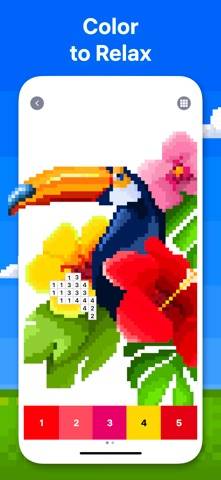
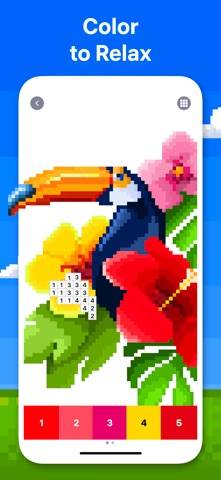
The official toucan image shows a blocky bird and flowers above numbered colors. It illustrates pixel-by-pixel completion rather than unrestricted brushwork.
Pixel Art Camera can turn selfies or other photos into pixel pictures. That makes personal imagery part of the proposition, although exact conversion resolution and palette controls are not specified. Timelapse sharing is also advertised for showing the completed process.
Flower Garden adds a separate meta layer: color objects, build a garden, and earn rewards. Readers who like a persistent space around their coloring may welcome it; someone seeking a plain catalog may care less. The listing does not establish that participation is mandatory.
Consider Pixel Art if you enjoy finishing an assigned design without deciding which hue should go where. It is less natural for someone who wants a full drawing application or unrestricted painting tools. Photo conversion does not by itself establish freehand illustration capabilities.
The US download is free. Premium is described as unlocking content, providing daily updates, and removing ads, with automatic renewal under the listed terms. The supplied description does not give a universal price, so no amount is inferred.
Advertising frequency, offline support, and actual tool generosity remain unverified. There are no customer review bodies in this sample, so promises of smooth performance and relaxation stay attributed to the developer rather than being presented as tested findings.
Consider Pixel Art for structured coloring with photo conversion and clearly differentiated fill tools. Premium access and the garden layer are separate choices from whether you enjoy the core numbered-cell activity.
Magic Wand targets neighboring cells of the same number; Color Splash can fill neighboring cells with different numbers, according to the listing.
Yes. Pixel Art Camera is advertised for selfies and other photos.
That is a listed Premium benefit. Current pricing and actual behavior have not been independently verified.
No hands-on gameplay, advertising, purchase, offline, or stability testing.
Gameplay was not playtested. Default score 7.0. This dimension was not playtested, and the default is what the ranking uses.
Ads were not playtested, and this game has no separate store-ad sample. The no-forced-ads tag stays unknown. Default score 7.0. This dimension was not playtested, and the default is what the ranking uses.
Whether a purchase is required to keep playing was not playtested. Default score 7.0. This dimension was not playtested, and the default is what the ranking uses.
Content depth was not playtested. Default score 7.0. This dimension was not playtested, and the default is what the ranking uses.
Stability was not playtested. Default score 7.0. This dimension was not playtested, and the default is what the ranking uses.

Magic Wand targets neighboring cells of the same number; Color Splash can fill neighboring cells with different numbers, according to the listing.
Yes. Pixel Art Camera is advertised for selfies and other photos.
That is a listed Premium benefit. Current pricing and actual behavior have not been independently verified.