G
7.0
Gameplay 30%
Gameplay was not playtested. Default score 7.0. This dimension was not playtested, and the default is what the ranking uses.


Home / Reviews / hidden-object-scavenger / Hidden Objects - Find It Out®

Find It Out provides a clear map-search task with explicit zoom and pan support. Mode labels and update promises are less detailed, so its pictured scavenger format is the soundest basis for consideration.
Opens the official store and leaves this site. Kids: ask a grown-up before buying anything.
Store-listing analysis, not a playtest. This article examines the US App Store description and attributed product claims. Customer review sample: N=0; no review date or version window is available.
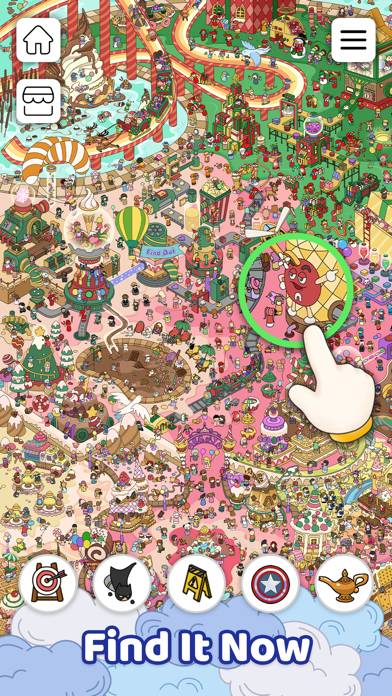
Hidden Objects - Find It Out® is a target-list scavenger hunt. Scan an illustrated scene, tap the requested objects, and complete the collection before moving to another map.
The developer explicitly instructs players to look at the items below the scene. Finding every object completes it, so the relevant question is where a target is hidden rather than what word a clue means.
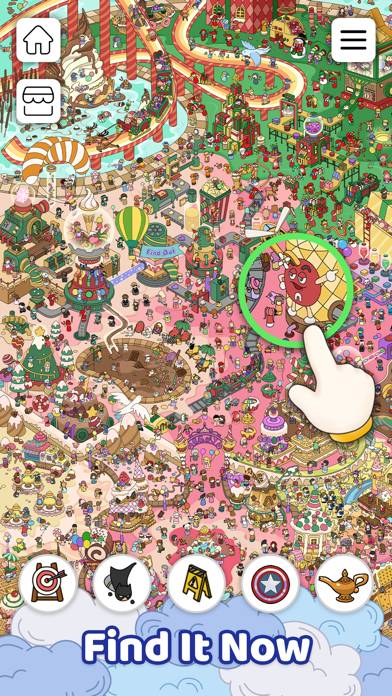
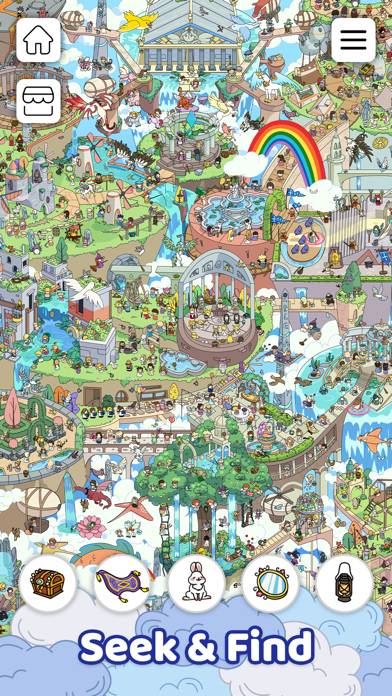
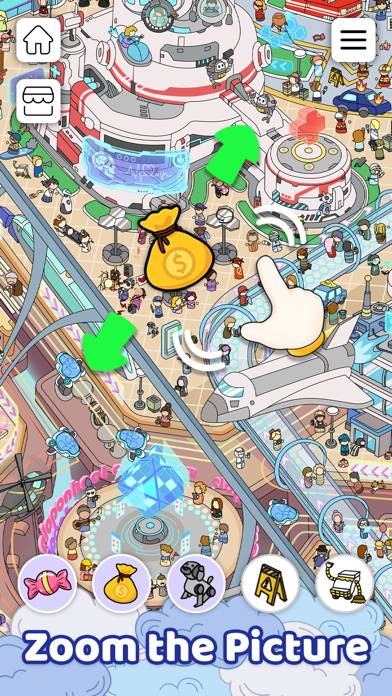
The official image shows a dense illustrated map with paths, buildings, people, small objects, and a magnified area under a hand prompt. It supports a broader navigable scene, not a two-picture difference comparison.
The supplied text names animal parks, ocean settings, playgrounds, and fantasy or city maps. That provides subject variety without proving that every destination has a different search rule.
The description explicitly allows zooming in and out and swiping through the map. This is useful information for readers who want to inspect details instead of relying on a single fixed view.
The actual magnification range, target size, and contrast were not tested. A dense scene can be visually interesting while still posing visibility challenges for some readers.
Hints are advertised for the final hard-to-find object. Their cost, refill schedule, and precision are not specified, so helpful tools should not be rewritten as unlimited free solutions.
Classic and Match modes are named, but the supplied description does not provide a complete rule comparison. It would be speculative to call Match a particular triple-tray game or promise a fixed time budget.
The encouragement to solve quickly does not by itself establish a mandatory countdown. Wrong-tap penalties, lives, and retry conditions also remain undocumented.
Weekly updated maps and free unlocks are developer claims, not an independently audited schedule or a guarantee that every future scene is unrestricted. No customer review bodies are available here to assess whether updates arrive as promised.
The text uses mystery and investigation language but does not establish a detective narrative with suspects or branching choices. The stronger foundation is searching detailed scenes for pictured targets.
The US download is free. Ads, purchases, removal offers, offline play, and current save reliability are unresolved.
Consider Find It Out if map exploration and systematic scanning are appealing. Readers requiring an independently confirmed no-timer mode or a specific hint allowance should not infer either from its relaxation language.
Find It Out provides a clear map-search task with explicit zoom and pan support. Mode labels and update promises are less detailed, so its pictured scavenger format is the soundest basis for consideration.
No. The listing describes finding requested objects within a scene rather than comparing two pictures.
Yes. Zooming and swiping are explicitly advertised.
No. Both names appear, but their complete differences are not supplied.
No hands-on gameplay, advertising, purchase, offline, or stability testing.
Gameplay was not playtested. Default score 7.0. This dimension was not playtested, and the default is what the ranking uses.
Ads were not playtested, and this game has no separate store-ad sample. The no-forced-ads tag stays unknown. Default score 7.0. This dimension was not playtested, and the default is what the ranking uses.
Whether a purchase is required to keep playing was not playtested. Default score 7.0. This dimension was not playtested, and the default is what the ranking uses.
Content depth was not playtested. Default score 7.0. This dimension was not playtested, and the default is what the ranking uses.
Stability was not playtested. Default score 7.0. This dimension was not playtested, and the default is what the ranking uses.
No. The listing describes finding requested objects within a scene rather than comparing two pictures.
Yes. Zooming and swiping are explicitly advertised.
No. Both names appear, but their complete differences are not supplied.